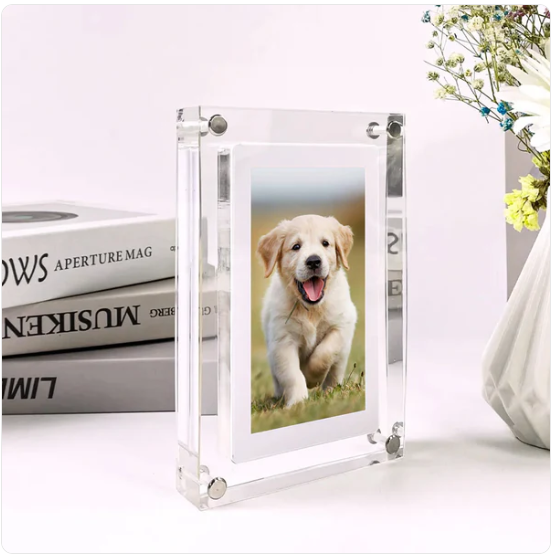


Digital Frame
Digital Frame
- Premium quality
- Verified Pinterest Merchant
- Easy returns
Couldn't load pickup availability
★★★★★
"The Digital Frame was a gift for my grandparents, and they cant stop raving about it. They love seeing new pictures of the family, and its a great way for us to stay connected with them."
Joslynne Marie
EFFORTLESS SETUP

UPLOAD
Connect to any computer using the provided cable, drag, drop—done! The process is quick and intuitive, making it easy to add your favorite memories.
SWAP
Easily swap or update videos by deleting the old files and adding new ones. This lets you keep track of every special moment with minimal effort.
THE DIGITAL FRAME IN USE


HOW TO USE
1. Plug the Digital Frame into your PC using the USB-C cable provided.
2. Drag and drop your photos/videos to the designated folder that appears, making sure they’re in the correct format.
3. Arrange them in your preferred order to create a seamless continuous loop display.
4. Disconnect, power on, and enjoy your looping memories!
Tip: Rearrange or delete files anytime to update the slideshow sequence effortlessly.
What our customers say:
Better than I expected
Arrived well packed and the quality feels great for the price. I already ordered a second one as a gift.
Fast delivery, easy to use
Tracking updates were clear the whole way, and it worked straight out of the box. Really happy with it.
Exactly as described
Looks just like the photos. Support was friendly when I had a question about my order.
Shipping & Returns
Shipping & Returns
We work closely with USPS, DHL, UPS, Canada Post, Royal Mail, Australia Post and more to deliver every order fast and securely. Every order comes with a tracking number so you always know where your package is.
- Returns accepted up to 14 days after delivery
- Tracking number included with every order
Customer Support
Customer Support
Questions about your order? Our team is here to help. Reach us through our contact page and we'll get back to you as quickly as possible.
Glizm Guarantees